Add people to a project
Add workspace members to a project, change their role, or remove them.
Add the people who work on a project so you can assign them tasks and issues and talk with them in the project's threads.
The Members tab appears on projects in workspaces that include the full project features. If you do not see it, see Troubleshooting.
What you need
- To be a Project Owner or Project Manager on the project.
- The people must already be members of the workspace. This guide does not invite people into the workspace.
Steps
Add members
-
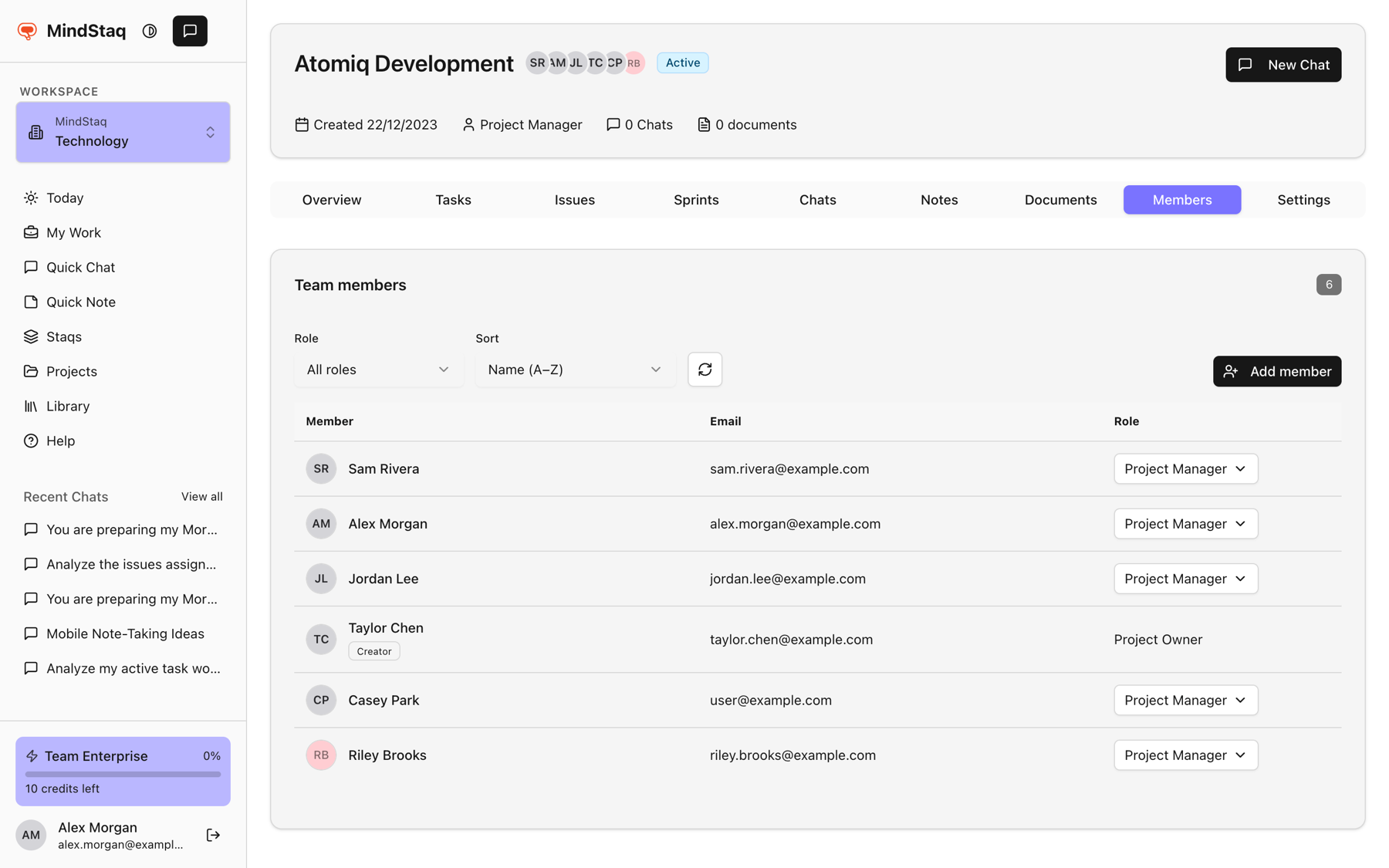
Open the Members tab. Open the project and choose Members.
-
Start adding. Choose Add member. The Add members panel opens with the workspace's members.
-
Find people. Search by name, email, or role. People already on the project show On project.
-
Select them. Choose Select next to each person.
-
Confirm. Choose Add to project (the button shows the count, for example "Add 2 members").
Change a role or remove someone
- In the member list, open the role button next to the person and choose Project Manager or Team Member, then confirm in the dialog (Make project manager or Change to team member).
- To remove a person, choose the trash icon and confirm with Remove.
Expected result
New members appear in the list with the role Team Member. They can then be chosen as owners of tasks and issues.
Tips
- Filter the list by Role and sort by name or role. A Project Lead or Sponsor badge marks those people.
- You cannot remove or change the role of the project creator, and you must change a Project Manager to Team Member before removing them.
- Role details are in Project roles.
Troubleshooting
- There is no Members tab: your workspace may not include these project features. Contact your workspace admin or support.
- There is no Add member button: only Project Owners and Project Managers can manage members.
- Someone is missing from the Add members list: they are not a workspace member, or are inactive. See Understand workspace scoping and access.
Related guides
- Understand Project Owner, Project Manager, and Team Member rolesSee what each project role can see and change, and how task group owners and issue reviewers get extra rights.
- Assign owners and reviewersGive every task and issue an owner, and understand what owners, task group owners, and issue reviewers can do.
- Create a projectGroup tasks, issues, notes, documents, and chats for a piece of work in one project.
- Use project, task, and issue message threadsKeep conversation and status updates next to the project, task, or issue they are about.
- Understand workspace scoping and accessLearn why your projects, chats, and work depend on the workspace you are in, and what workspace and project roles control.
Email [email protected] and tell us what you were trying to do.
Email supportSpotted a mistake or something out of date? Report a problem with this guide. No email app? Write to [email protected] and name this guide.