Attach PDFs, Office files, and images
Attach up to five files to a message so the assistant can read, summarise, and answer questions about them.
Attach documents or images to a message and ask about them.
What you need
- An open chat with the message box enabled.
- Files that are each 25 MB or smaller, with at most five files per message.
Steps
-
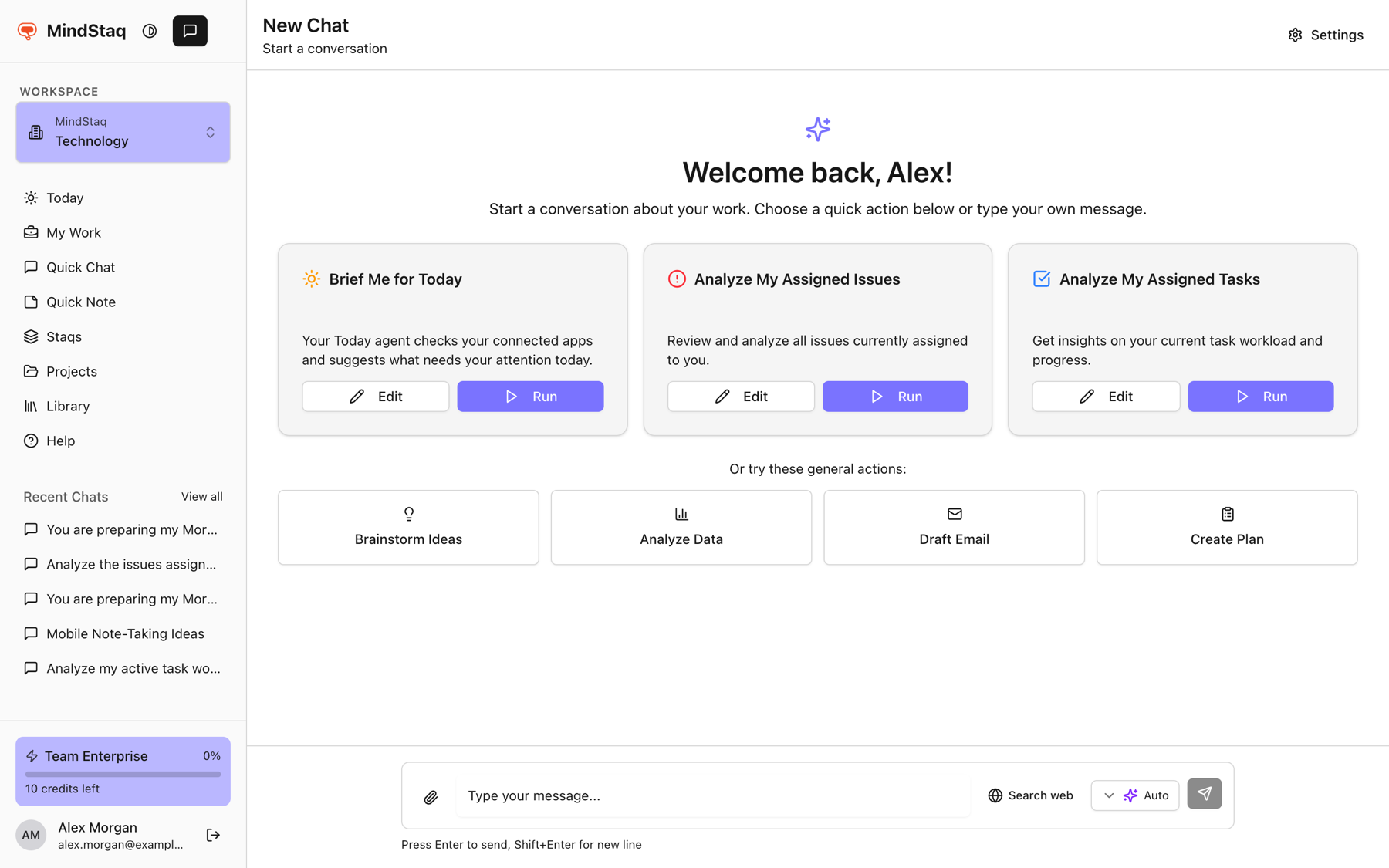
Choose Attach files (the paperclip) next to the message box and select your files.
-
Check the chips above the box. Each shows the name and size; use the remove button to take one off.
-
Write your question, for example "List the action items in this PDF", and send.
-
Wait for preparation. A status line shows Uploading, Converting ... to text, Preparing, and sometimes Analysing with elapsed time.
Accepted types include PDF, Word (docx), PowerPoint (pptx), Excel (xlsx, xls), CSV, text and Markdown, HTML, JSON, XML, EPUB, ZIP, common image formats (JPG, PNG, GIF, WebP, BMP, TIFF, SVG), and audio (MP3, WAV, M4A, OGG, FLAC).
Expected result
Your message shows the attachments and the assistant answers using their content. Later messages in the same chat can still use the files.
Tips
- If a file is still being analysed (figures, sections, full summary), you can choose Send now, Wait for analysis, or Edit message.
- Say which file or section you mean when you attach several.
Troubleshooting
- "Maximum 5 files allowed". Remove files and send in batches.
- A file is rejected. Check the type and that it is under 25 MB.
- "could not be converted to text". A warning that the assistant may not be able to read that file. Try another format, such as PDF.
- Upload is unavailable. Wait a moment and retry. See Troubleshoot AI sessions.
Related guides
- Add project, task, issue, note, or file contextGive a session the right background by starting it from a project, staq, task, or issue, or by attaching files.
- Troubleshoot unavailable models, quota, file processing, and session failuresFix the most common reasons an AI session will not send, stops, or cannot read your files.
- A file won't process or search finds nothingFix files that are rejected or slow to analyse, and searches that return no results.
- Privacy, security, and data handlingWhat MindStaq says about security and compliance, and what you control about your own data.
Email [email protected] and tell us what you were trying to do.
Email supportSpotted a mistake or something out of date? Report a problem with this guide. No email app? Write to [email protected] and name this guide.