Use AI Skills for repeatable outcomes
Run ready-made skills, such as reviewing your tasks for today, from cards on the new-chat screen or the AI Skills Catalog.
Run a saved skill instead of retyping the same request, and get a consistent result each time.
AI Skills are still being completed. The cards on the new-chat screen are the main way to run them. The AI Skills Catalog appears in the sidebar only in environments that show in-progress features, and creating your own skills is not available.
What you need
- A new chat open from Quick Chat, or the AI Skills Catalog in the sidebar.
Steps
Run a card
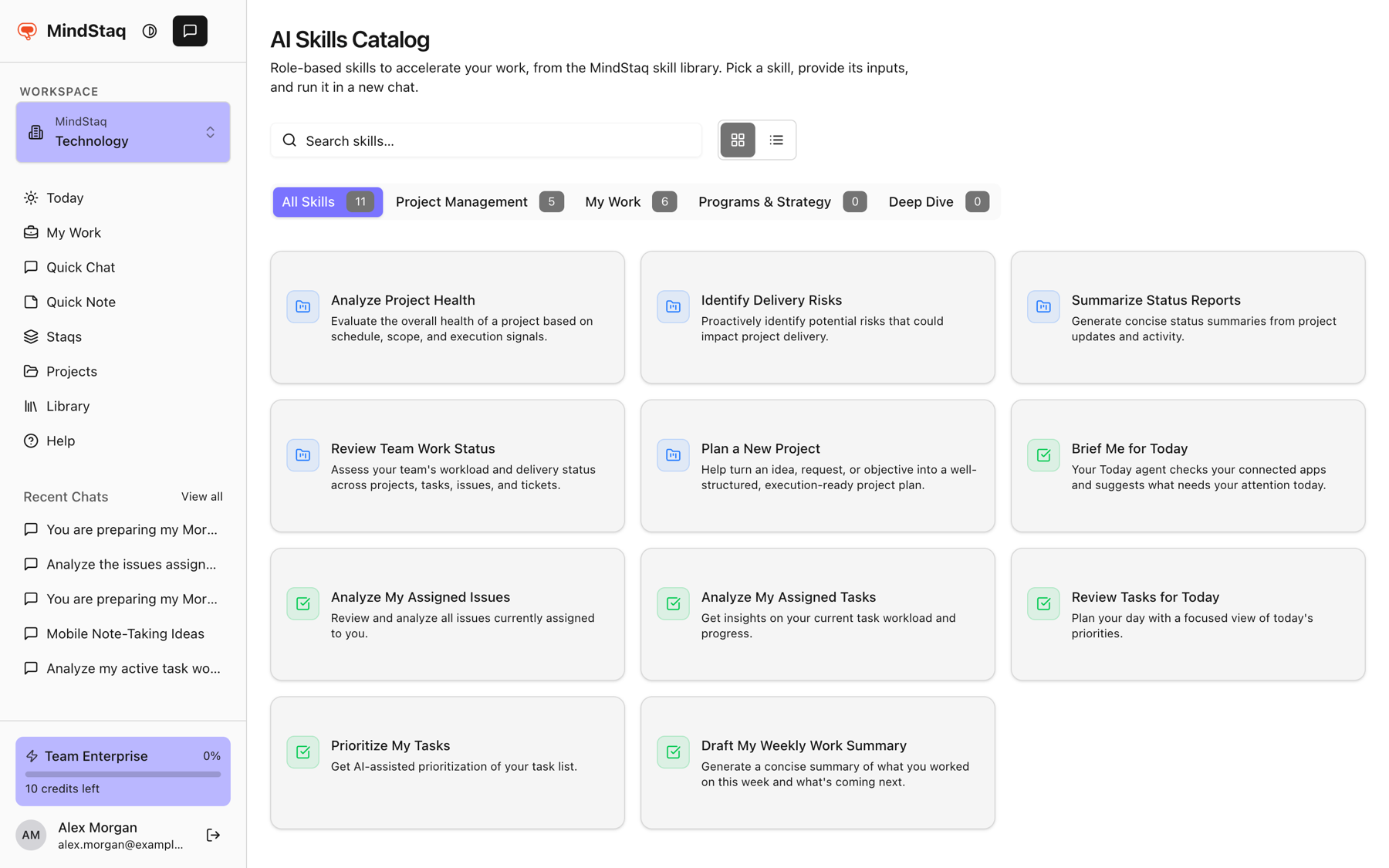
- Open Quick Chat. Featured skills appear as cards, such as Review Tasks for Today, Analyze My Assigned Issues, and Analyze My Assigned Tasks.
- Choose Run to run it with defaults, or Edit to adjust it first.
Use the catalog
-
Open AI Skills Catalog and search under Search skills..., or browse the tabs All Skills, Project Management, My Work, Programs & Strategy, and Deep Dive.
-
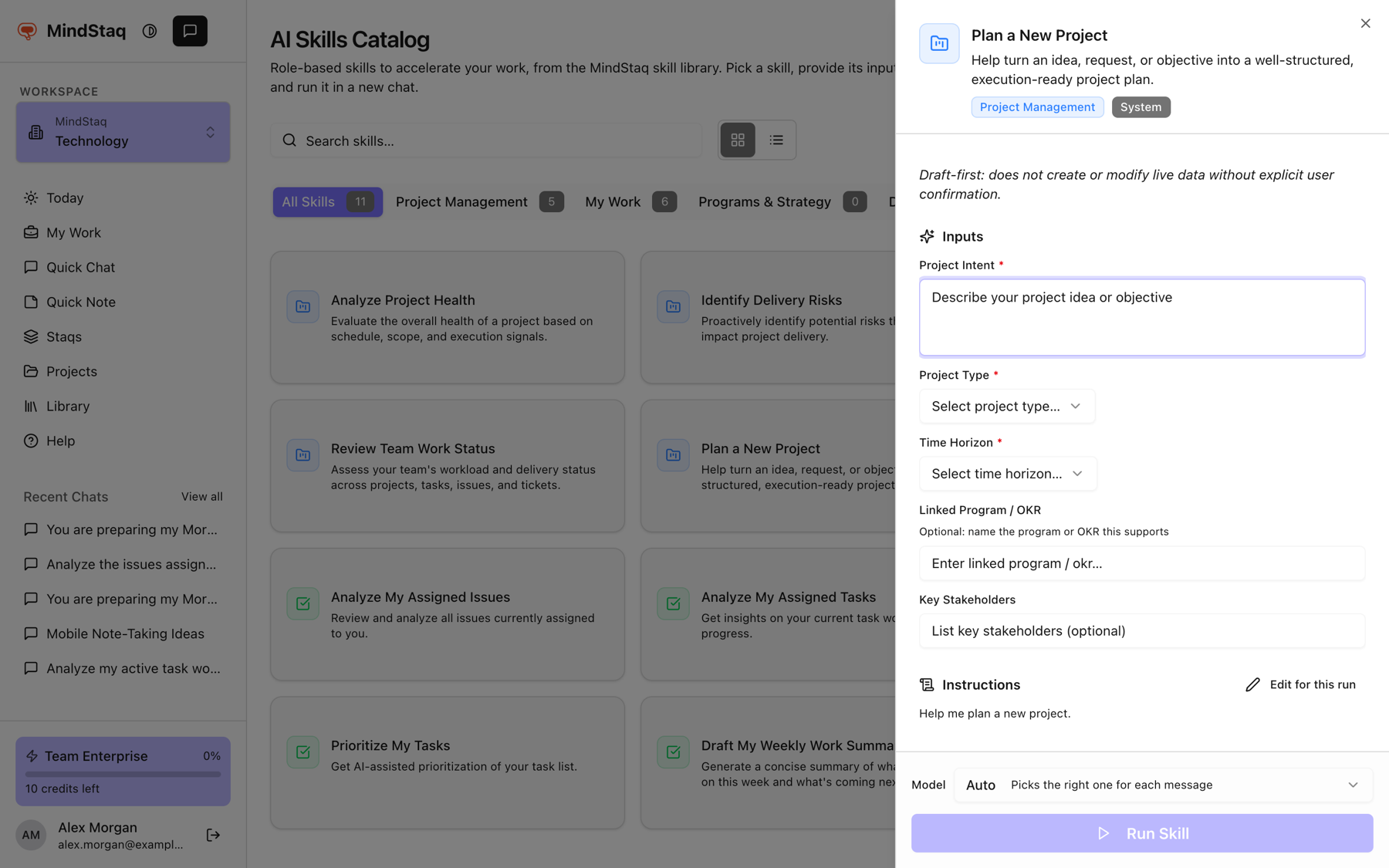
Choose a skill to open its panel. Review Inputs, Instructions, Data Sources, and What You'll Get.
-
Fill in required inputs (marked with an asterisk). Optionally choose Edit for this run to change the instructions for this run only.
-
Pick the Model tier, then choose Run Skill.
Expected result
A new chat starts with the skill's name and inputs shown in your message (use Show full instructions to see the full text), then the answer streams in.
Tips
- Editing instructions never changes the skill itself.
- Skills that use projects or issues work on what you can access in the current workspace.
Troubleshooting
- Run Skill is disabled. A required input is empty.
- No skills found. Clear the search or switch to All Skills.
- The catalog is not in my sidebar. It is hidden in some environments. Use the cards on Quick Chat.
Related guides
- Start with a goalWrite your first message as an outcome so the assistant can plan, ask the right questions, and deliver something usable.
- Choose Quick, Balanced, or DeepPick the right AI tier for the job, or let Auto choose for each message.
- Plan your day on TodayBuild a short plan of the work you chose for today and pick up work that is due today from the suggestions.
- Track issues, risks, and blockersLog what is going wrong or at risk in a project, assign it, and follow it to resolution.
Email [email protected] and tell us what you were trying to do.
Email supportSpotted a mistake or something out of date? Report a problem with this guide. No email app? Write to [email protected] and name this guide.