Start with a goal
Write your first message as an outcome so the assistant can plan, ask the right questions, and deliver something usable.
Open a session by saying what you want to end up with, not just a topic.
What you need
- An open chat. See Start a chat in Work.
Steps
-
Name the outcome. Say what you want produced: "a one-page brief", "a task list for the launch", "a summary of this report".
-
Give the situation. Add who it is for, deadlines, and constraints in a sentence or two.
-
Ask for the format. For example "as a table", "in five bullets", or "as a plan with owners".
-
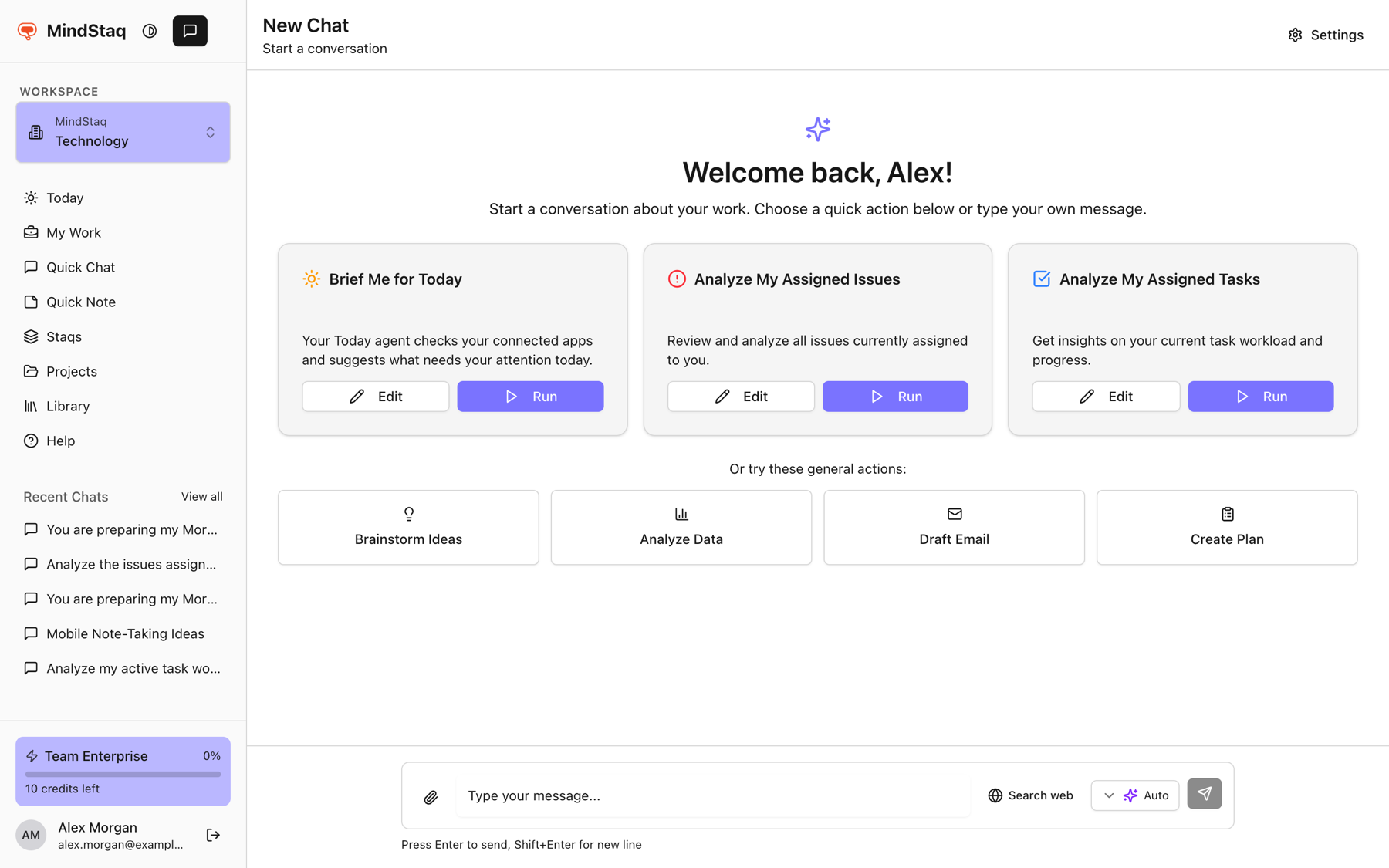
Or use a starter. On the welcome screen, Brainstorm Ideas, Analyze Data, Draft Email, and Create Plan put an opening phrase in the message box so you can finish it.
-
Review and steer. Ask follow-ups such as "shorter", "add risks", or "turn this into tasks".
Expected result
The reply is shaped around your outcome, and you can save or export it. See Create your first useful output.
Tips
- Example: "Plan next week's customer onboarding workshop for 12 people. Output an agenda and a task list."
- For vague goals, ask the assistant to ask you questions first.
- Use Quick, Balanced, or Deep for heavier goals.
Troubleshooting
- The answer is generic. Add context: a project, files, or the audience. See Add project, task, issue, note, or file context.
- The answer is too long or too short. Say the length you want and send again.
Related guides
- Start a chat in WorkAsk a question, attach files, and keep the conversation in your workspace.
- Choose Quick, Balanced, or DeepPick the right AI tier for the job, or let Auto choose for each message.
- Add project, task, issue, note, or file contextGive a session the right background by starting it from a project, staq, task, or issue, or by attaching files.
- Create your first useful outputTurn a conversation into something you can keep, such as a note or a Word document.
- Turn an answer into a note, document, task, issue, or project planSave an answer as a note or ask the assistant to create documents, tasks, issues, and project plans from it.
- Link work back to a project or sessionKeep chats, tasks, issues, notes, and documents connected to the project or session they came from.
Email [email protected] and tell us what you were trying to do.
Email supportSpotted a mistake or something out of date? Report a problem with this guide. No email app? Write to [email protected] and name this guide.