Use web search and deep research
Let the assistant search the web for a message, and use the Deep tier for research that needs careful analysis.
Turn on web search when an answer needs current information, and pair it with the Deep tier for research-style work.
What you need
- An open chat with the message box enabled.
Steps
-
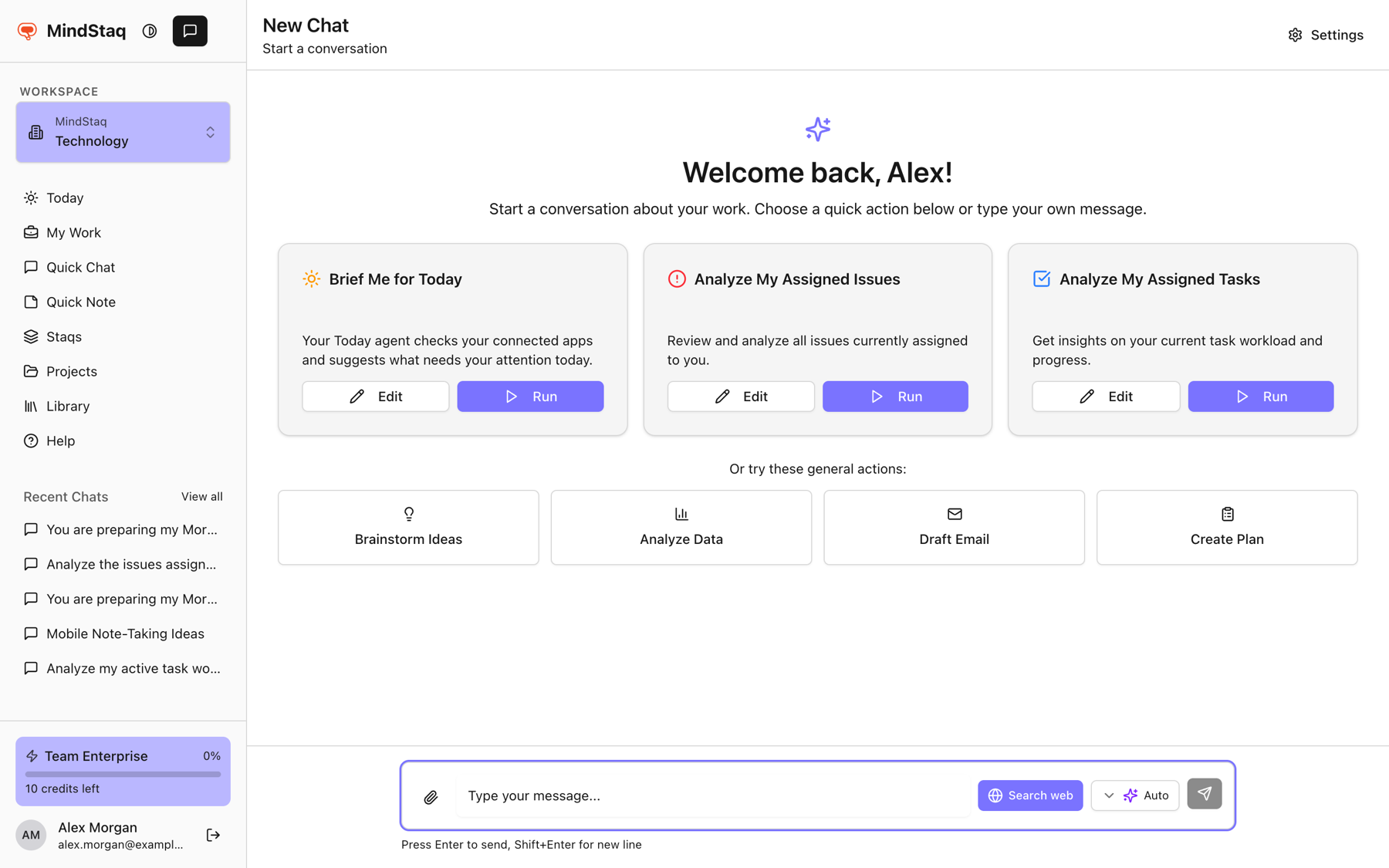
Turn on web search. Choose Search web beside the send button. When it is on, it is highlighted and its tooltip reads "Web search on – click to turn off".
-
Pick a tier for research. Choose Deep for complex questions that need careful analysis. See Choose Quick, Balanced, or Deep.
-
Ask a research question and say what output you want, such as "compare three options in a table, with what changed this year".
-
Follow up. Short follow-ups such as "dig deeper on the top two" continue the research.
-
Turn it off when you no longer need it by choosing Search web again.
Expected result
While the assistant works you see "Working..." or the tool it is running, and an activity panel under the reply records the search steps.
Tips
- There is no separate "Deep research" button. Deep research here means the Deep tier plus web search.
- On Quick, the assistant searches only when you turn Search web on. On Balanced and Deep it can also decide to search for a message, and you can still switch it on yourself.
- Ask the assistant to include the sources it used.
- Export the result with Export structured output to Word.
Troubleshooting
- The answer does not use the web. Switch Search web on and resend, or ask explicitly to search.
- Search fails or returns nothing. Try again later. See File or search not working.
Related guides
- Choose Quick, Balanced, or DeepPick the right AI tier for the job, or let Auto choose for each message.
- Understand smart model routing and creditsLearn how Auto picks a tier, how credits are used, and what happens when your allowance runs out.
- A file won't process or search finds nothingFix files that are rejected or slow to analyse, and searches that return no results.
- Export structured output to WordAsk the assistant to turn a report, plan, or table into a downloadable Word document.
Email [email protected] and tell us what you were trying to do.
Email supportSpotted a mistake or something out of date? Report a problem with this guide. No email app? Write to [email protected] and name this guide.