Track issues, risks, and blockers
Log what is going wrong or at risk in a project, assign it, and follow it to resolution.
Keep problems, risks, and blockers next to the project work so someone owns each one and nothing is lost in chat.
Issues appear on projects in workspaces that include the full project features. If your project has no Issues tab, see Troubleshooting.
What you need
- A project. See Create a project.
- Permission to create issues: Project Owners and Project Managers can add them. See Project roles.
Steps
-
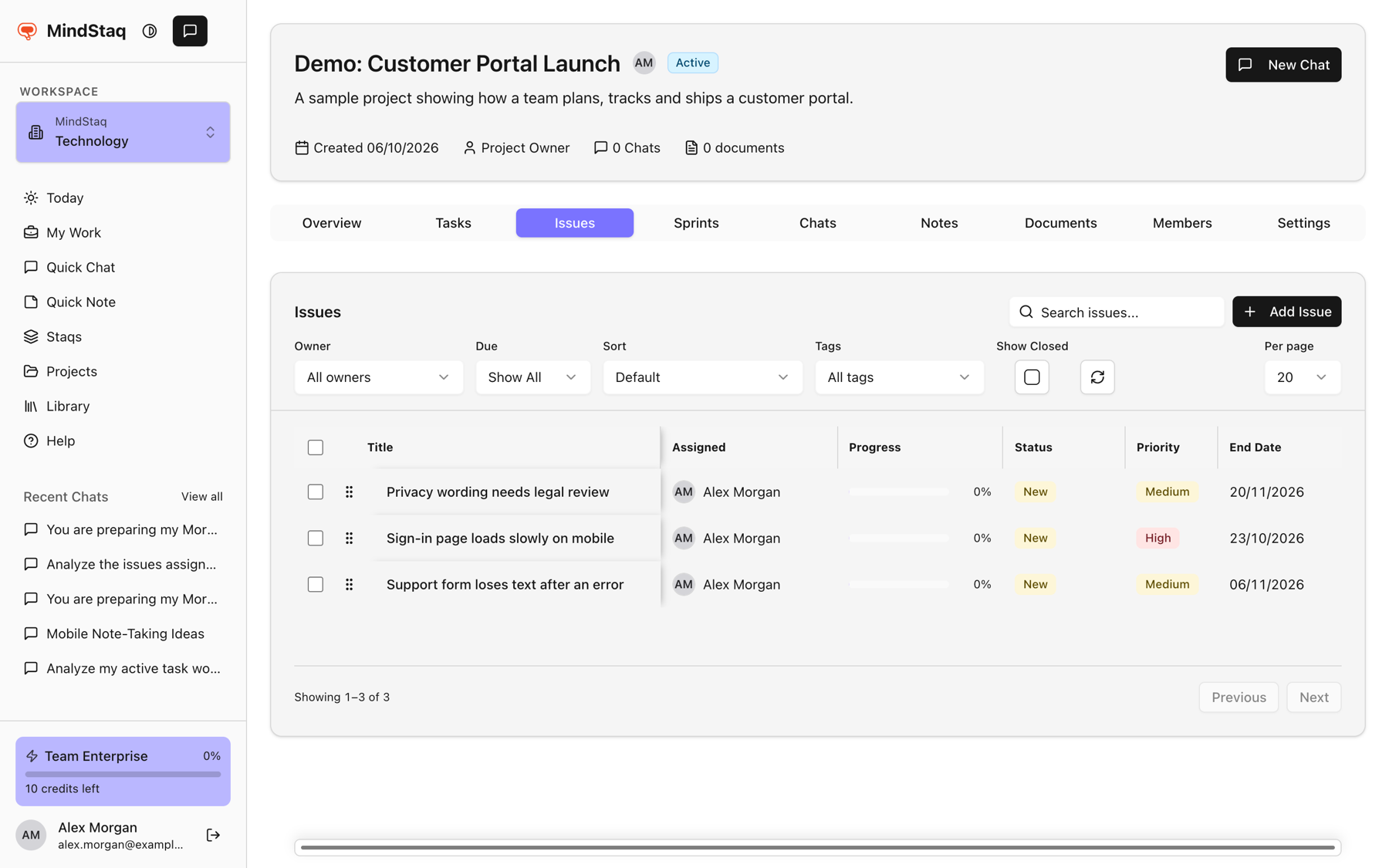
Open the Issues tab. Open the project and choose Issues.
-
Add an issue. Choose Add Issue.
-
Describe it. Enter the title, then set Owner, Priority, Start date, End date, Tags, and Description. Choose Create Issue. New issues have the status New.
-
Work it. Select the issue title to open it. Move Status through New, In Progress, Resolved, and Closed. When the status changes you can tick Post status update to add a topic and message to the issue's thread.
-
Find closed ones. The list hides closed issues; turn on Show Closed to include them.
Expected result
The issue is listed in the project and, once it has an owner, it appears in that person's My Work feed. Risks and blockers are shown with their own Risk or Blocker chip, and an open blocker is listed under Needs attention on My Work.
Tips
- Issues created from the Issues tab are plain issues. The assistant can also log an issue, a risk, or a blocker for you from a chat inside the project. See Turn an answer into work.
- A plain issue appears with a Bug chip in My Work and Today.
- An issue needs an Owner before it can move to In Progress, Resolved, or Closed.
- Use the issue's message thread for discussion, and tag it Risk or Blocker. See Tag decisions, status reports, and risks.
Troubleshooting
- There is no Issues tab: your workspace may not include these project features. Ask your workspace admin or contact support.
- There is no Add Issue button: only Project Owners and Project Managers can add issues.
- An issue is missing from the list: it may be closed. Turn on Show Closed.
Related guides
- Create task groups and tasksBreak a project into task groups and tasks, with owners, priorities, and dates.
- Assign owners and reviewersGive every task and issue an owner, and understand what owners, task group owners, and issue reviewers can do.
- Use My Work as the Today command centerSee everything on your plate in one feed, spot what needs attention, and decide what goes onto Today.
- Use project, task, and issue message threadsKeep conversation and status updates next to the project, task, or issue they are about.
- Tag decisions, status reports, risks, blockers, requirements, and feedback in threadsLabel conversations in Messaging so decisions, updates, and risks are easy to find and filter.
- Turn an answer into a note, document, task, issue, or project planSave an answer as a note or ask the assistant to create documents, tasks, issues, and project plans from it.
Email [email protected] and tell us what you were trying to do.
Email supportSpotted a mistake or something out of date? Report a problem with this guide. No email app? Write to [email protected] and name this guide.